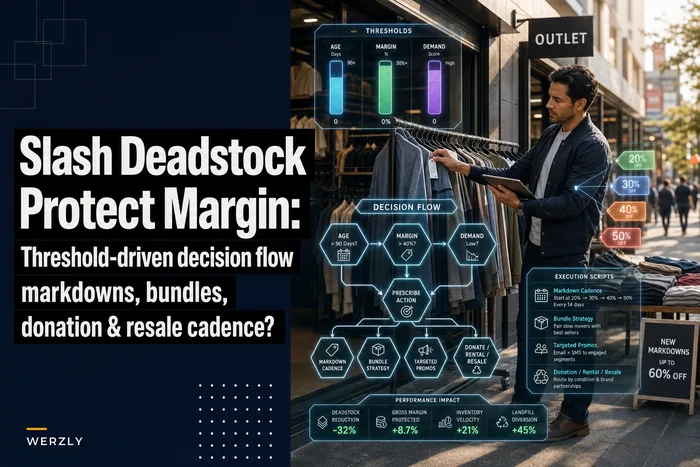


Most small clothing stores don't lose track of inventory in one dramatic moment. It happens slowly. A SKU sells well in March, tapers off by June, gets shoved to the back rack in August, and by January nobody remembers whether it's supposed to be there, on clearance, or already written off. Multiply that across a few hundred SKUs and your item catalog stops being useful.
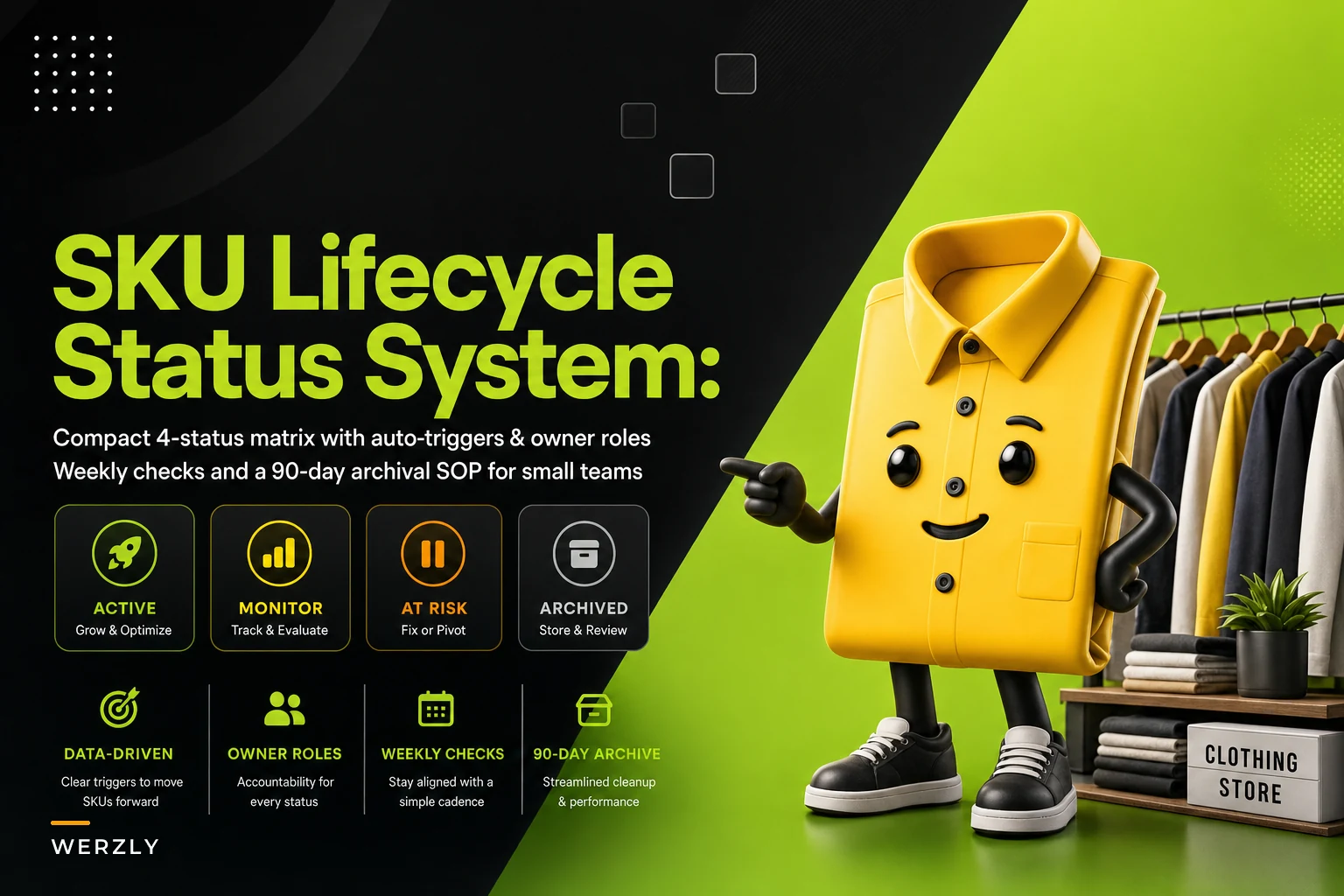
The fix isn't a fancy forecasting engine. It's a small set of rules that decide what state every SKU is in, who's responsible for moving it, and when. Four statuses. That's it. Once a store commits to a clean SKU lifecycle status system, weekly decisions get faster and the year-end mess mostly disappears.
This is the practical version — the one you can actually run with two or three people and a POS that isn't perfect.
Why lifecycle status gets messy in the first place
The core problem is that a SKU has two lives that don't line up. There's the selling life (how well it's moving) and the administrative life (what your system says it is). In a small store those two drift apart constantly because nobody's job is explicitly to keep them in sync.
A typical example: a summer linen top sells through 70% by mid-July. You mark down the leftovers, they move to about 90%, and then a handful just sits. It's technically still "active" in your POS. It shows up in reorder suggestions. It clutters the floor. It skews your sell-through math because the system still treats it as a live item. Meanwhile the buyer is reading reports that quietly include a bunch of dead SKUs, so every average looks worse than it actually is.
The mess is rarely about laziness — it's about the absence of a trigger. People don't move a SKU to clearance because there's no rule that says "when X happens, change the status." So it stays active by default, forever. Default is the enemy here.
The four statuses (and what actually separates them)
Keep the vocabulary boring on purpose. The moment you invent seven micro-statuses, staff stop using them.
Take control of your clothing store operations.
Werzly helps you manage stock, process orders, and engage customers effortlessly.
- Unified inventory and order management
- Automated customer notifications
- Sales and stock analytics
No credit card required
| Status | What it means | Sells on floor? | Counts in reorder logic? | Typical duration |
|---|---|---|---|---|
| Active | Core selling item, full price | Yes | Yes | Until trigger hits |
| Hold | Paused — quality issue, vendor dispute, seasonal wait | No / pulled | No | 2–6 weeks |
| Clearance | Marked down, exit the item, recover cash | Yes (marked) | No | Until sold or 90 days |
| Archive | Done. Off the floor, off active reports | No | No | Permanent record |
The two that get confused most are Hold and Clearance, so be strict about it. Hold means "we intend to sell this at full price again" — outerwear you're pulling in April to bring back in September, or a batch you're pausing because units came in with a defect and you're waiting on the vendor. Clearance means "we've decided this item is leaving — get whatever cash we can."
If you can't honestly say a Hold item is coming back to full-price selling, it's not on Hold. It's Clearance. This one distinction prevents the most common failure: items sitting in a fuzzy "we'll deal with it later" pile that's really just clearance in denial.
Auto-triggers: the part that makes it run without babysitting
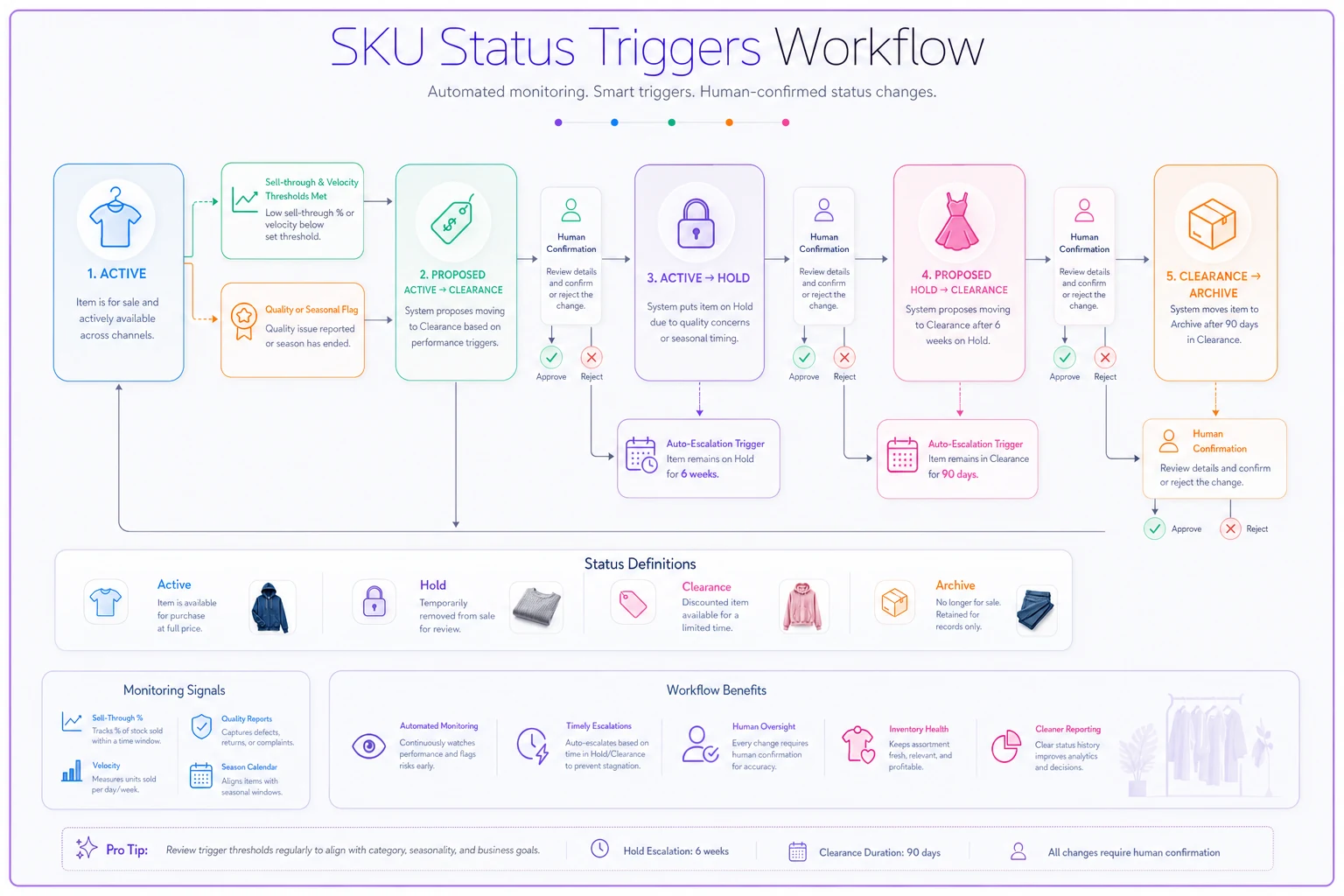
The whole system lives or dies on triggers. A status should almost never change because someone felt like changing it. It should change because a number crossed a line. Here's the compact trigger set that works for most apparel stores:
-
Active → Clearance when sell-through hits a threshold and velocity drops. A common pairing: sell-through above roughly 65% but weekly units sold falling below 1 for two straight weeks, or the item passing its season window (around 10–12 weeks in-season for fashion pieces).
-
Active → Hold when a quality flag is raised (returns for the same SKU spike, or receiving finds a defect) or when a seasonal pull date arrives.
-
Hold → Active when the vendor resolves the issue, or the season window reopens.
-
Hold → Clearance automatically if a Hold item sits longer than 6 weeks with no resolution. Holds are supposed to be temporary. If it's been six weeks and nothing's moved, you're not on hold — you're avoiding a decision.
-
Clearance → Archive after 90 days on clearance, regardless of remaining units.
That last one anchors the whole system. The point of triggers is that the system proposes the status change and a human confirms it. Nobody has to remember to check every SKU. The threshold does the remembering.
This diagram captures the trigger flow and the human confirmation step.
If you want the deeper logic on how much to mark down and when to walk away from a slow item, the step-by-step decision flow for slow-moving SKUs covers the margin math behind clearance decisions. The lifecycle system here just makes sure the status moves; that post helps you decide the price.
Owner responsibilities: one name per status change
A trigger firing does nothing if no one owns the confirmation. On tiny teams the mistake is assuming "everyone" watches inventory, which means nobody does. Assign it like this:
-
Buyer / owner owns Active → Clearance decisions. This is a margin call, so it belongs to whoever answers for the P&L.
-
Floor lead / store manager owns Hold, because Holds are usually about physical stuff — pulling items, tracking defects, chasing the vendor.
-
Whoever runs receiving owns Hold → Active, since they're the one confirming the replacement stock or resolution actually arrived.
-
The owner signs off on Archive, weekly. Archiving is the one action you don't want happening casually because it removes items from your active books.
Every status change has exactly one accountable name, even if two people touch the item. When a Hold drags on, there's one person to ask why. That single-owner rule sounds obvious but it's the difference between a system and a suggestion.
The weekly check (about 15 minutes)
You don't need a daily ritual. Once a week is enough if the triggers are doing their job, because by the time you sit down the list of SKUs waiting for a status decision is already built. The weekly check is confirmation, not investigation.
-
Confirm or reject each Active → Clearance suggestion the triggers flagged.
-
Review every item on Hold — is it still legitimately coming back? Anything past 4 weeks gets a hard look.
-
Check Clearance items approaching day 90. Decide
one last markdown, transfer, donate, or let it archive.
-
Approve the week's Archive batch.
-
Spot-check 3–5 random Active SKUs to make sure nothing dead is hiding in "active."
Spot-check 3–5 random Active SKUs to make sure nothing dead is hiding in "active."
That last spot-check matters more than it looks. It's your audit against the system quietly breaking. If you keep finding zombie SKUs in Active, your triggers are set too loose.
Stores that skip the weekly check for even a month tend to end up with a Clearance pile aged past 90 days and a Hold pile full of items that are never coming back. The whole thing decays fast without the rhythm. Fifteen minutes weekly beats a brutal eight-hour reconciliation twice a year.
The 90-day archival SOP
Archive is where small stores get sloppy, usually in one of two directions. Either they never archive anything — so their item list balloons and every report is polluted with dead SKUs — or they delete instead of archiving and lose the history they'd need to understand what went wrong.
-
Trigger fires at day 90 on Clearance. The SKU is flagged for archive review.
-
Physical reconciliation. Whoever runs the floor confirms remaining units. If there's leftover stock, decide the exit: markdown-to-clear, donation, or transfer to another location if you run more than one.
-
Record the exit reason. One dropdown or one note
sold-through, donated, damaged, transferred. This is the single most valuable field for next year's buying.
-
Owner approval. The batch gets confirmed in the weekly check.
-
Move to Archive. SKU drops off active reports, retains full history, stops appearing in reorder logic and sell-through averages.
The exit-reason field in step 3 is the sleeper value here. Six months later, when you're deciding whether to re-buy from a vendor, "23 SKUs archived — 15 sold through clean, 6 donated, 2 damaged" tells you far more than a gut feeling. Most stores never capture this, and it's essentially free once the SOP exists.
A real scenario
A two-location women's apparel shop carrying roughly 900 active SKUs kept everything marked "active" until physical inventory forced a cleanup each January. That once-a-year purge took the better part of a weekend and always turned up a chunk of stock that should've been cleared months earlier at a much smaller loss.
They put in the four-status system with the trigger set above. Nothing exotic — the biggest change was just the 6-week Hold-to-Clearance rule and the 90-day archive trigger. Within a couple of months their active count dropped by somewhere around 120–150 SKUs that had been quietly dead. Sell-through reports got noticeably more honest because the averages weren't dragged down by stale items anymore.
The bigger win was timing. Because slow items hit Clearance weeks earlier, they were marking down while there was still selling season left instead of dumping everything in a January fire sale. The recovered margin wasn't dramatic, but it was a steady few hundred dollars a month they used to lose to delay. And the January count went from a dreaded weekend to a couple of hours.
When this makes sense — and when it doesn't
This system fits stores carrying somewhere between a couple hundred and a few thousand SKUs with real seasonality. If you're an apparel shop cycling collections, you need it.
When it's overkill: if you carry under roughly 75 SKUs and know every item by sight, formal statuses add friction without much payoff. You're the trigger. Just be honest with yourself about clearance timing.
When it's a bad idea to bolt on hastily: mid-season, right before a big buying window, with no owner assignments decided. Standing up the statuses without deciding who confirms each change just creates a new pile of unconfirmed suggestions — a to-do list nobody owns. Set the owners first, then turn on the triggers.
Who should adapt it: multi-location stores. Your Hold and Clearance decisions interact with the option to move stock between sites, so the exit step in your archive SOP should include a transfer check before you write anything off. The mechanics of when moving stock beats marking it down are worth working out separately — the store-to-store transfer playbook lays out the decision rules so your archive SOP hands off cleanly instead of clearing an item at one store that would've sold at full price at the other.
Making the triggers actually fire
The honest weak point of this whole approach is that triggers only work if something is watching your sell-through and velocity numbers between weekly checks. In a lot of stores that "something" is a person eyeballing a spreadsheet, which drifts the moment the week gets busy.
A workflow platform that watches the thresholds for you earns its keep here — not by making decisions, but by surfacing the SKUs that crossed a line so your weekly review is already built when you sit down. Auto-flagging Active items that cross the clearance threshold, counting the days a Hold or Clearance SKU has been sitting, and queueing the 90-day archive batch is exactly the kind of repetitive tracking that's easy to automate and miserable to do by hand. The status decisions stay human. The remembering doesn't have to be.
However you run it — spreadsheet, POS reports, or software that flags the changes for you — the value is the same: fewer default-active zombie SKUs, cleaner reports, and clearance that happens while there's still selling time on the calendar.
Four statuses. One owner per status change. A fifteen-minute weekly check and a 90-day archive rule. That's the entire system, and it works precisely because it's small enough that a tiny team will actually keep it running.
Stores that struggle with inventory clutter aren't usually short on data — they're short on rules that force a decision at the right moment. Give every SKU a status, tie the changes to triggers instead of gut feel, and put a name next to each move. The graveyard at the back of the stockroom stops growing, and your reports finally start telling you the truth.
Ready to elevate your apparel business?
Join 2,000+ retailers using Werzly to streamline operations, increase sales, and deepen customer loyalty.